
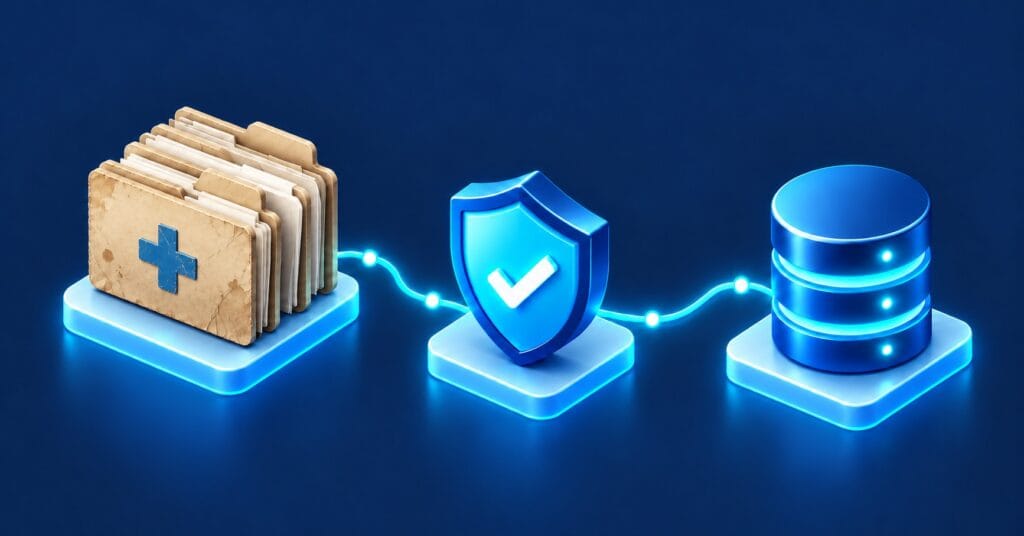
Moving to a new clinical system is one of the biggest decisions a health service makes. The system itself usually gets the most attention: the vendor selection, the build, the training. The data migration is often treated as a technical task that happens somewhere in the background.
That’s where most of the risk sits.
Clinical data isn’t just records. It’s medication histories, allergies, alerts and results that clinicians rely on to make decisions about patient care. When a migration goes wrong, the problem rarely shows up on go-live day. It shows up weeks later, when a clinician can’t find a result, sees a duplicate record, or acts on information that didn’t come across the way it should have.
Here are the issues we see most often, and how to avoid them.
1. Patient identity doesn’t match cleanly
Most legacy clinical systems carry years of duplicate and partial patient records: the same person registered twice with a misspelt name, a changed address or a missing date of birth. Migrate those records as they are, and the new system inherits the problem, often in a form that’s harder to untangle.
How to avoid it: Treat patient identity as its own workstream. Profile the source data early, agree matching rules (including how Individual Healthcare Identifiers will be used), and resolve duplicates before migration, with clear sign-off from health information management staff on anything that can’t be matched automatically.
2. Clinical codes don’t map one-to-one
Diagnoses, procedures, medications and results are often coded differently between systems. A legacy system might use local codes or older classifications, while the new system expects SNOMED CT-AU or the Australian Medicines Terminology. Some codes map neatly. Many don’t – one old code may correspond to several new ones, or to none at all.
How to avoid it: Build and review mapping tables with clinical input, not just technical input. Decide upfront what happens to codes that can’t be mapped – whether they’re carried across as free text, flagged for review or archived – and make sure clinicians know where to find them.
3. “Out of scope” history comes back to bite
To keep projects manageable, migrations often limit how much history comes across: only active patients, or only the last few years of results. That’s sensible, but it’s easy to underestimate how often clinicians need older information, from historical pathology to scanned correspondence and attachments.
How to avoid it: Agree the scope with the people who will actually use the data, not just the project team. Whatever doesn’t migrate still needs a home: a read-only archive that’s searchable, secure and accessible from the clinical workflow, rather than a legacy system someone has to log into separately.
4. Validation stops at record counts
Matching record counts between the old and new systems tells you the data moved. It doesn’t tell you the data is right. Dates can shift between time zones, units can change, and free-text notes can be truncated without anyone noticing.
How to avoid it: Validate at three levels: technical checks (counts and completeness), business rules (values within expected ranges), and clinical review, where clinicians check a sample of real patient records and confirm they read the way they should. The last step is the one most often skipped, and the one that catches the issues that matter.
5. Go-live is planned as an IT event, not a clinical one
Cutover usually means a period where neither system is fully current. If that window isn’t planned around how wards and clinics actually run, staff improvise – and improvised workarounds are where errors creep in.
How to avoid it: Plan cutover with clinical teams. Define what happens to orders, results and admissions during the transition, how data entered during the freeze gets reconciled, and who to call when something looks wrong. Rehearse the cutover at least once with real (de-identified) data volumes.
6. Compliance is treated as an afterthought
Health information carries strict obligations under the Privacy Act 1988 and state health records legislation, including how long records must be kept. Migration creates extra copies of sensitive data – in extracts, staging areas and test environments – that are easy to lose track of.
How to avoid it: Map where data will travel and be stored at every stage of the migration, restrict access to staging environments, use de-identified data for testing wherever possible, and plan for the secure disposal of interim copies. Make sure the retention requirements for legacy data are understood before any system is decommissioned.
The path forward
None of these issues are really tooling problems. They’re planning problems – and they’re far cheaper to solve before a migration than after go-live, when the data is already in clinicians’ hands.
The health services that get migrations right tend to do a few things consistently: they start data work early, involve clinicians throughout, validate what matters rather than what’s easy to count, and treat the legacy data as an asset to be managed, not a problem to be left behind.
Park Lane has worked with hospitals, health services and health insurers across Australia on data strategy, legacy system modernisation and migration. If you’re planning a move to a new clinical system, or you’re mid-migration and something doesn’t look right, we’d welcome a conversation.